Timer for Google Forms™
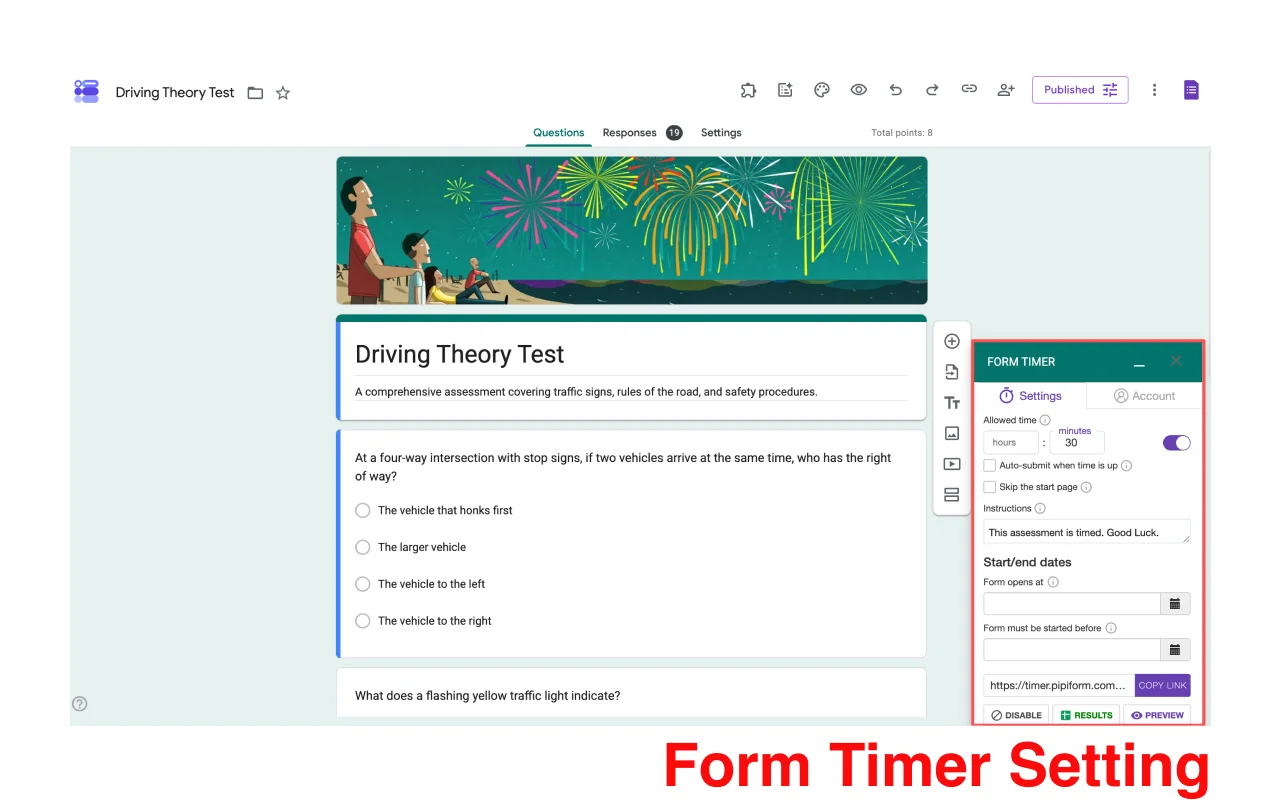
Set Countdown Timers for Your Forms
Create time-limited quizzes, exams, and surveys with our easy-to-use timer add-on. Show respondents a real-time countdown, auto-submit their answers the moment time expires, and keep your questions safe with built-in copy protection.
Install Timer for Google FormsHow to Get Started
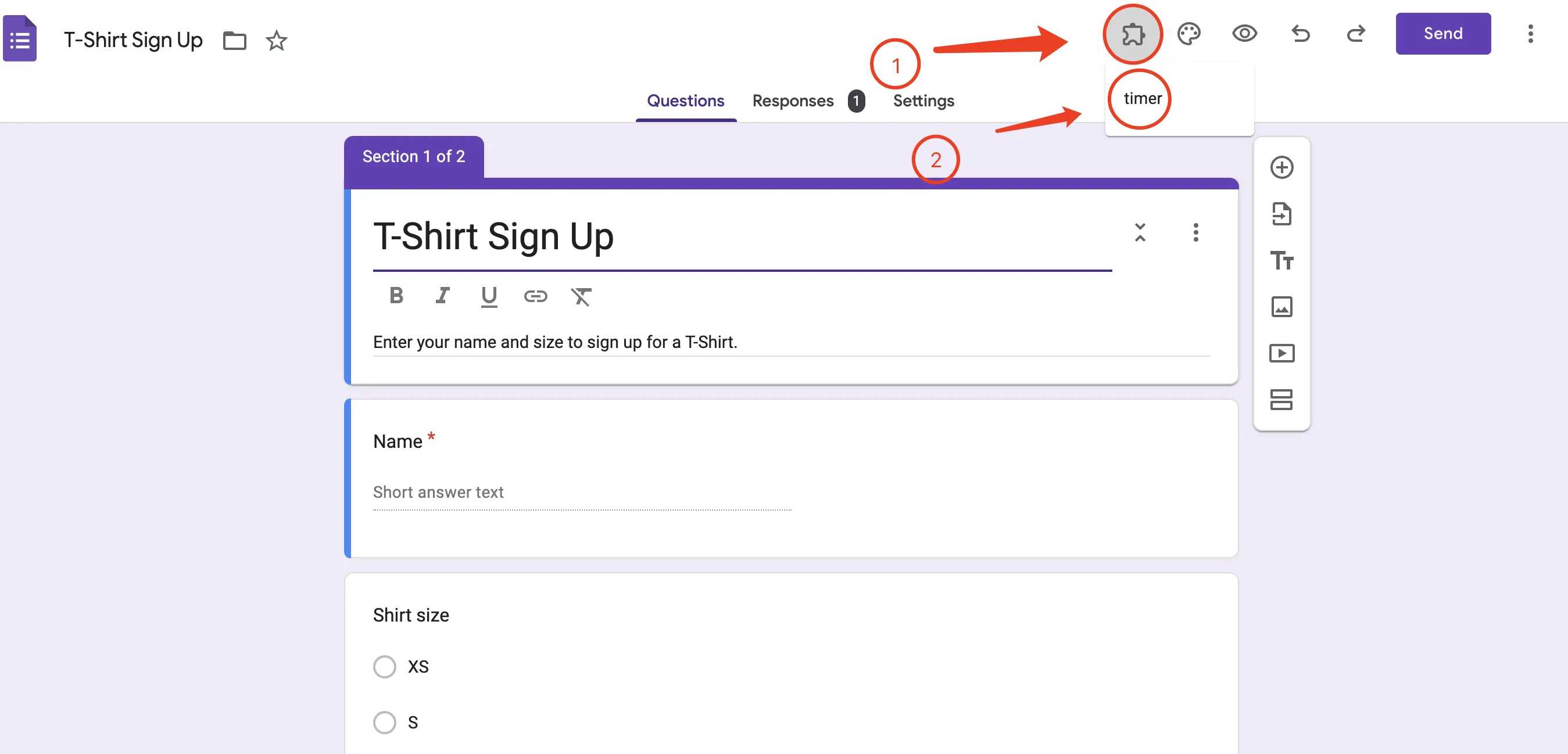
- Step 1: Click the Add-on button in your Google Form
- Step 2: Select Form Timer for Google Forms from the menu
- Step 3: Configure your timer settings
- Step 4: Activate the countdown for your form
Easy Timer Configuration
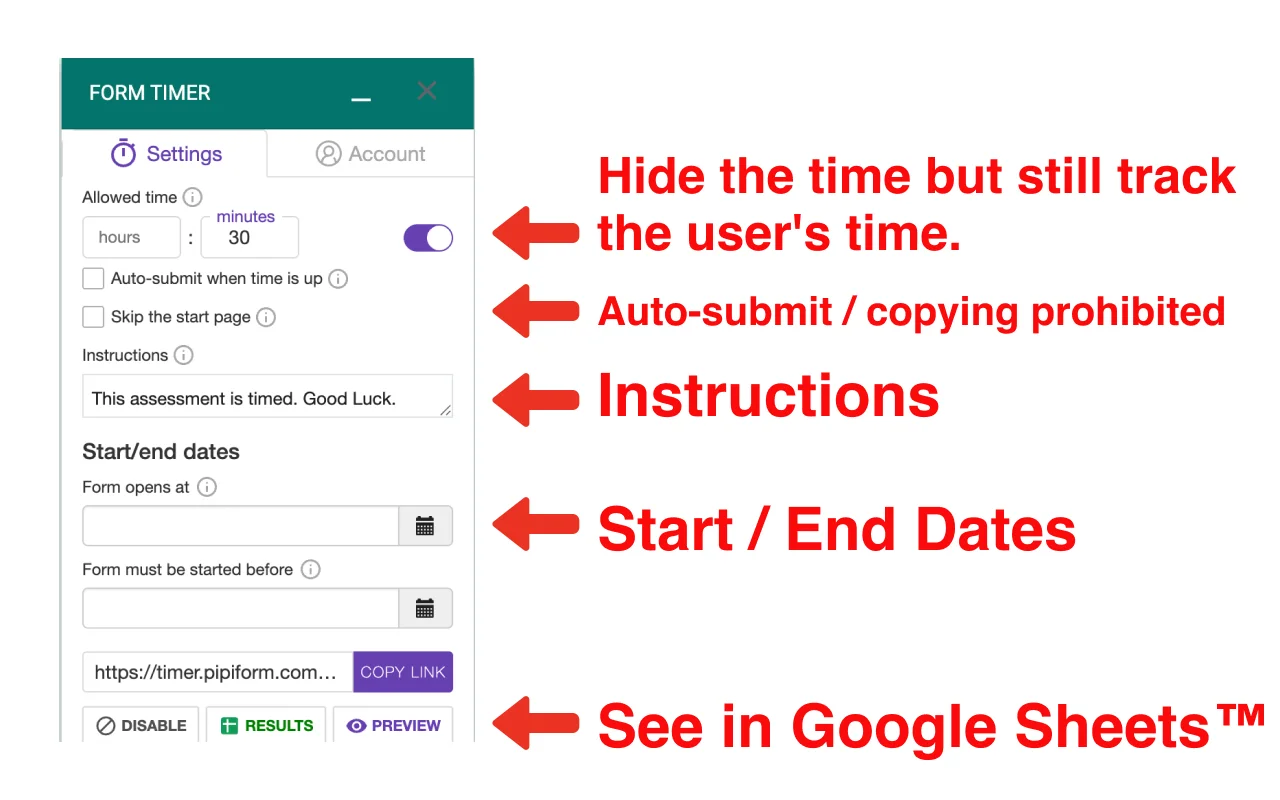
Set up your timer with just a few clicks. Configure time limits, enable auto-submit when time is up, customize the instructions respondents see, and set start/end dates through our intuitive interface.
Intuitive User Interface
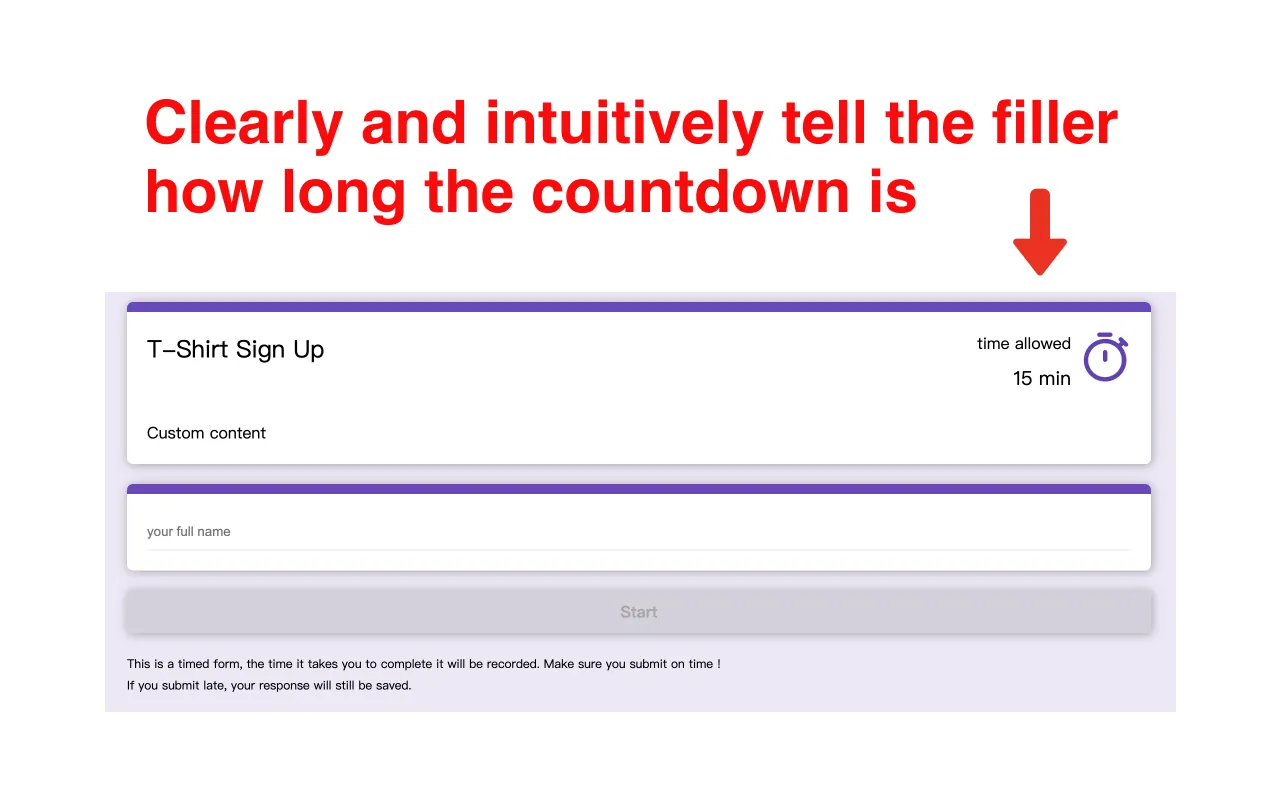
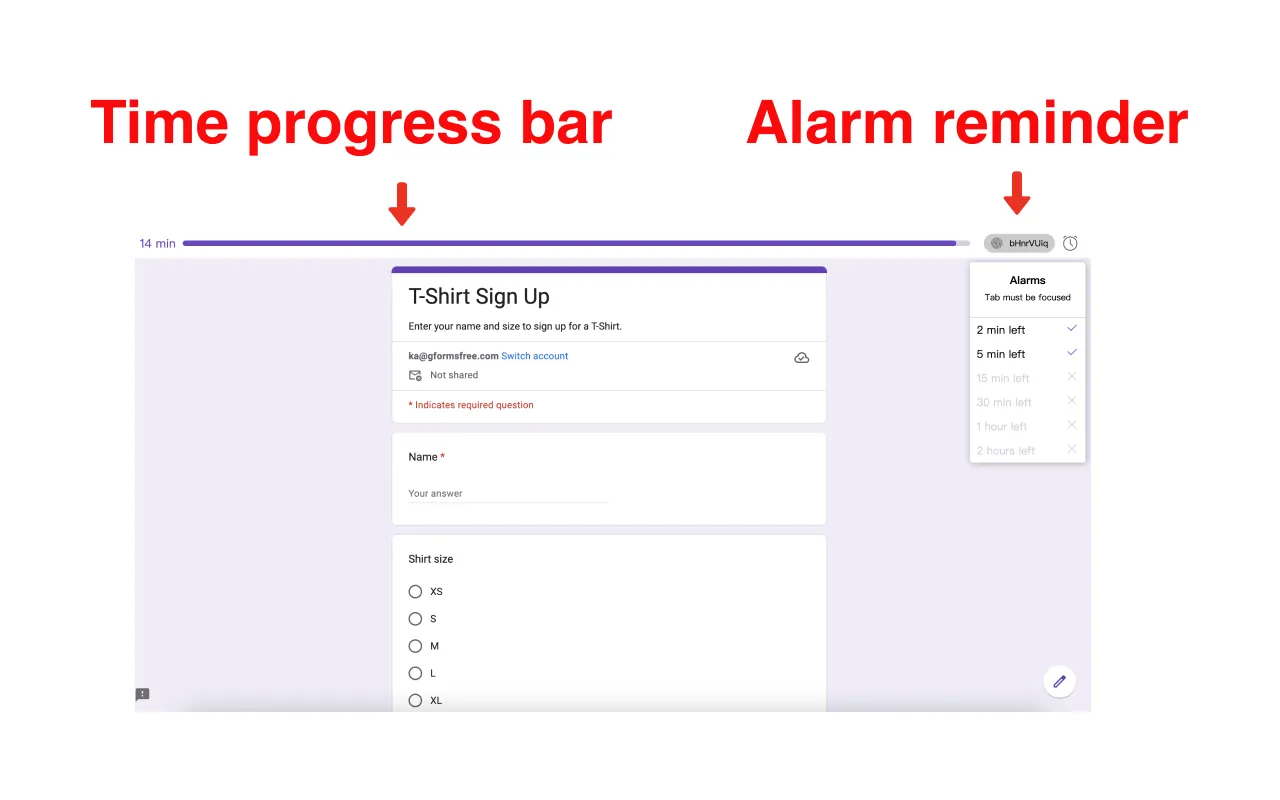
Respondents see a clear, intuitive countdown display that keeps them informed of remaining time. When time is up, the form is submitted automatically so completed answers are never lost — and the page prevents its content from being copied, protecting your quiz and exam questions.
Completion Time Tracking
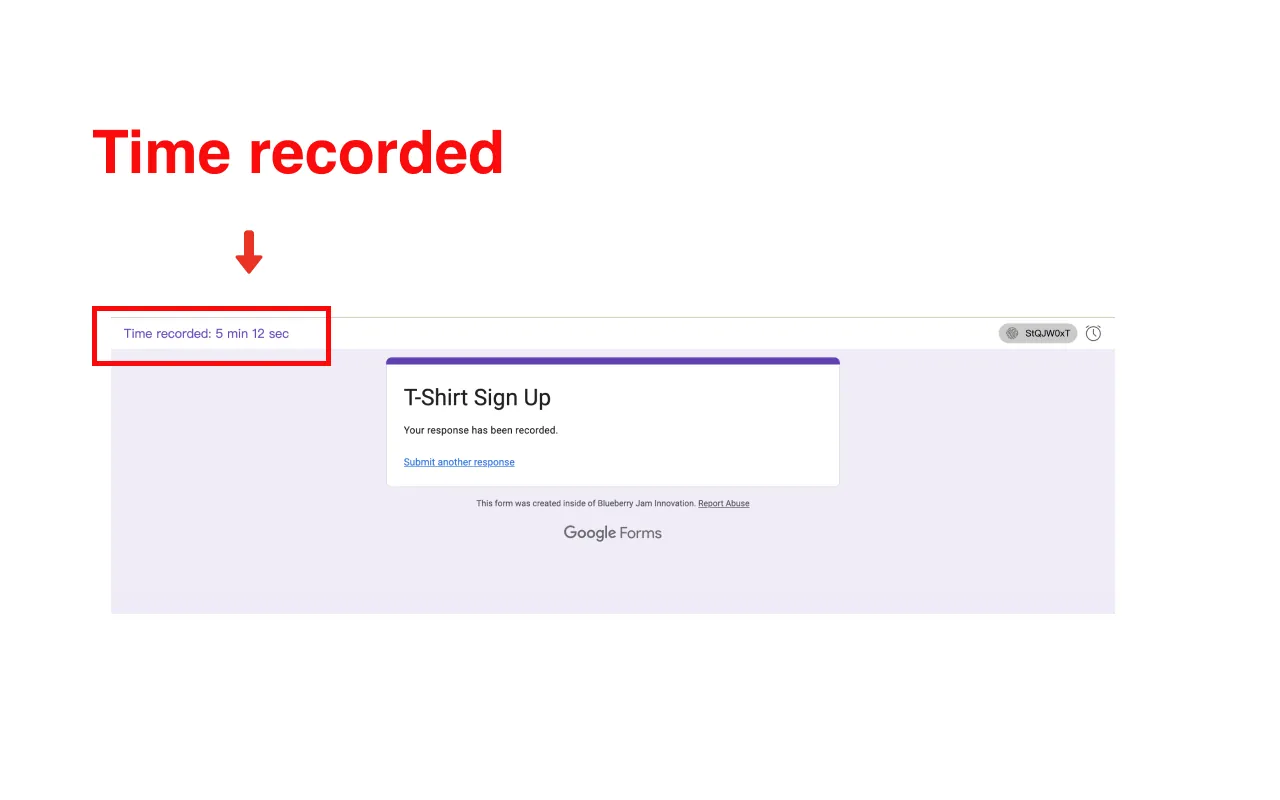
Track how long each respondent takes to complete your form. This valuable data helps you optimize form length and understand user engagement patterns.
Google Sheets Integration
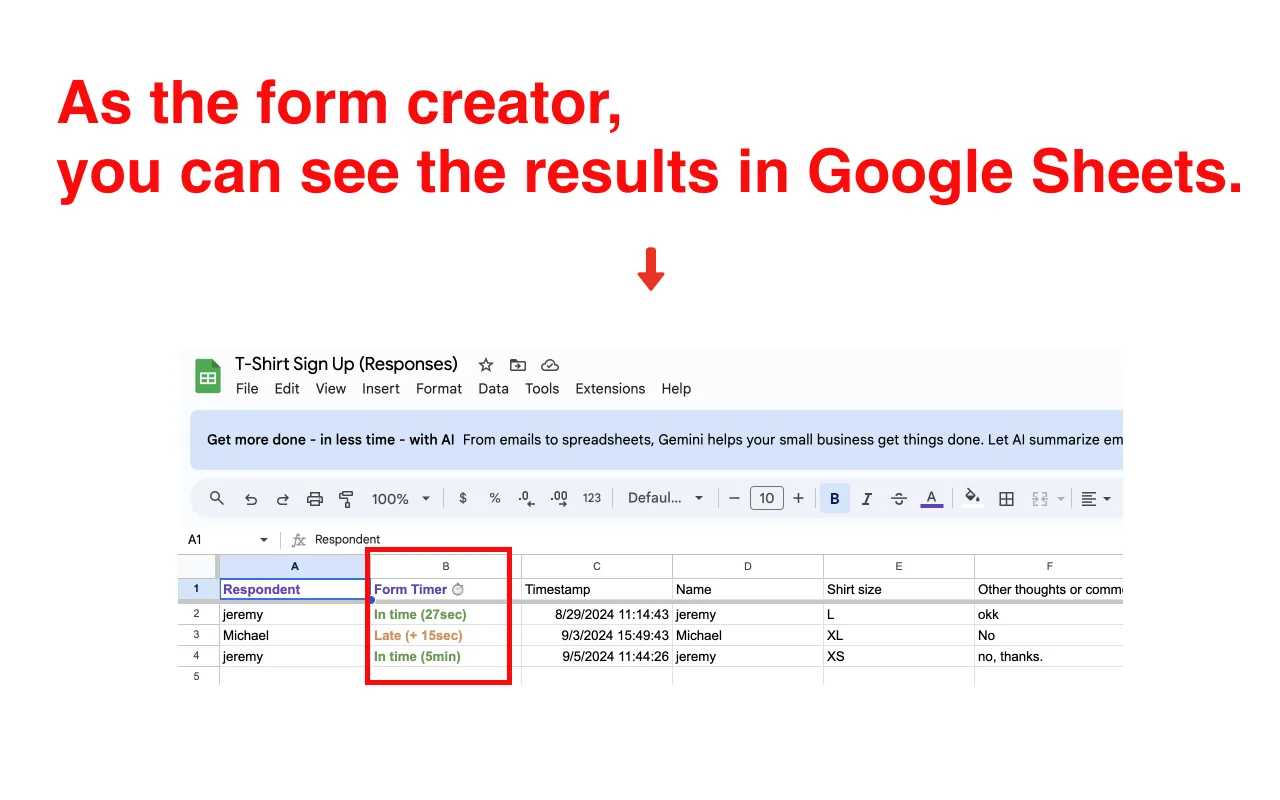
All timing data automatically appears in your Google Sheets for easy analysis. View completion times, identify patterns, and make data-driven decisions about your forms.