Can You Use Google Forms Offline on iPhone or iPad?
Does Google Forms Work Offline?
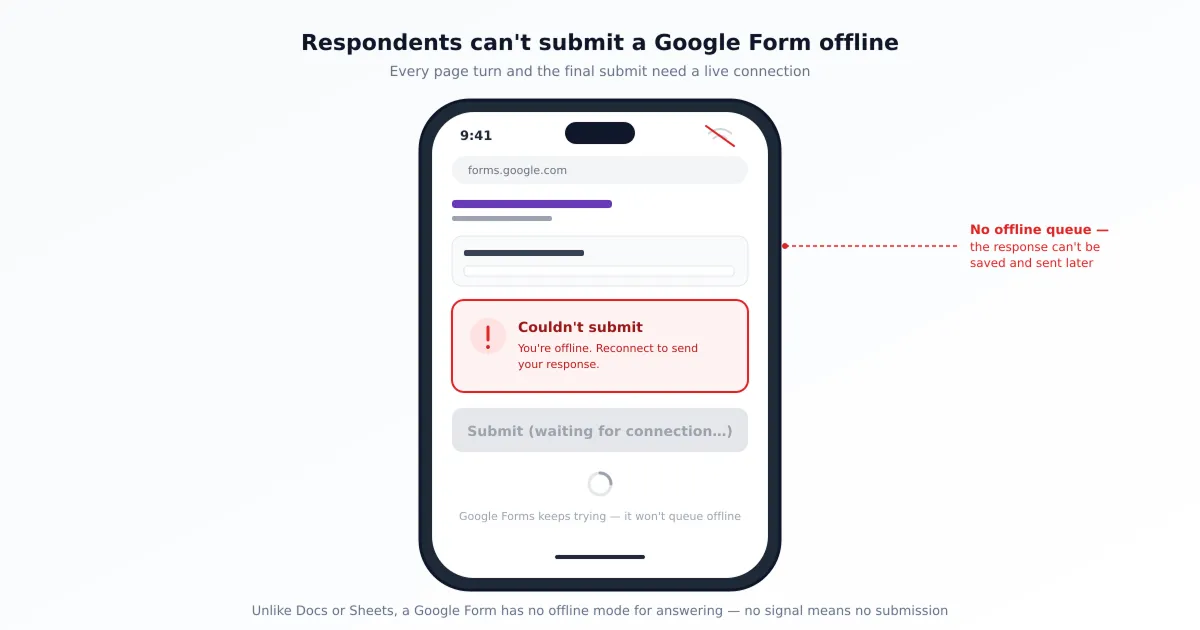
Separate entering text from submitting it. A loaded page may remain visible offline, but Google’s servers need a connection to receive a response. App-based form preparation is a separate workflow whose supported operations must be checked.
Do not infer connectivity from a visible form. A page loaded earlier may remain on screen after disconnection. Text on that page is not evidence that Google received it, and there is no basis for assuming that every local validation or page interaction requires a server round trip.
Why Forms Has No Offline Mode for Answering (When Docs and Sheets Do)
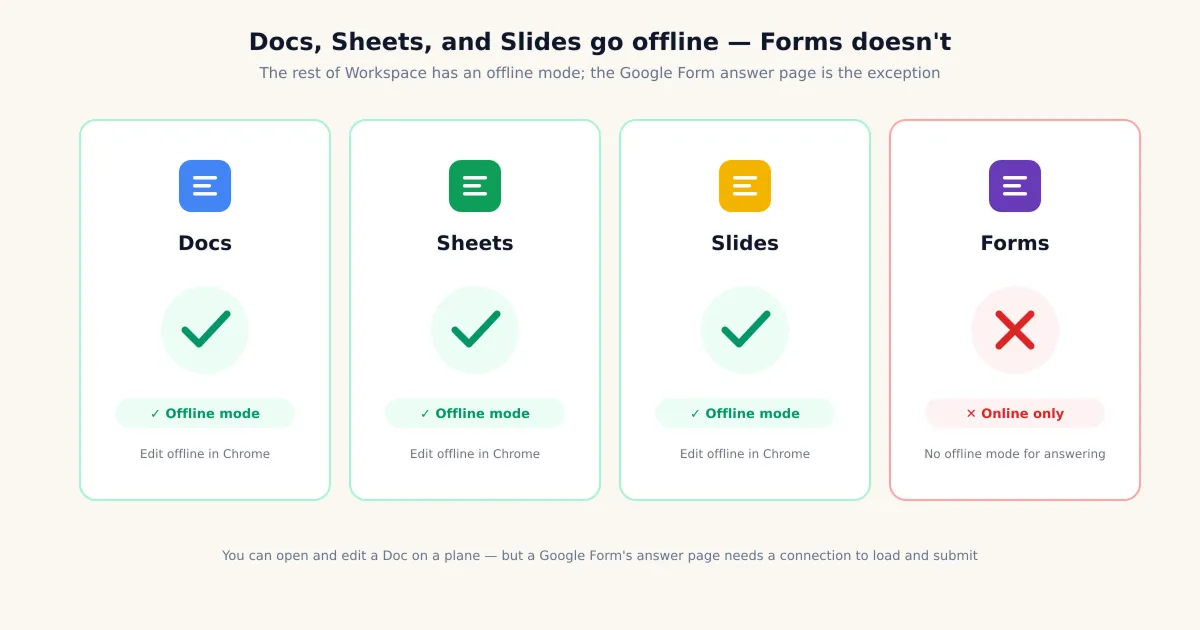
Google’s offline support article covers Docs, Sheets and Slides. Enabling their offline features does not enable offline response collection in Forms; capabilities differ between products.
An editable local document and a received form response are different records. Do not rely on a guaranteed offline submission queue for an ordinary Google Forms link. Qualtir’s third-party guide is supplementary reading, not a substitute for testing your workflow.
Create and Edit Forms Offline in a Native App
For Forms for Google Drive by pipiform, check which operations the current app version supports without a connection. Test a disposable form before depending on offline creation or editing at an event.
Check which changes remain on the device, reconnect, then compare the form with its online version. Do not assume all edits synchronize immediately. In Safari, wait for a save confirmation before closing. See our iPhone troubleshooting guide for connection and access checks.
Prepare questions, test the offline operations you need, and check the synchronized online form before publishing. The iPhone form-creation guide covers the general workflow.
What Happens on a Weak Connection (Not True Offline)
An unstable connection can delay loading, saving or submission, but similar symptoms can have other causes. Check connectivity, account access and the displayed error rather than assuming all missing responses result from weak signal.
If submission status is unclear, ask the organizer to check receipt before sending again, to avoid duplicates. When editing, wait for the saved status before closing. Do not treat a missing response as proof of a particular network failure.
A visible page does not prove that the network is working; it may have loaded before disconnection. Restore connectivity, verify whether the submission arrived, and retry only if needed. The iPhone troubleshooting guide also covers access and loading problems.
Collecting Responses with No Connection — What Actually Works
If you genuinely need people to answer where there’s no network, Google Forms can’t do it — but two workarounds can, as long as you’re honest about what each gives up. Neither one makes Google Forms itself work offline; they’re different ways to get data when the form’s own answering page is off the table.
- Workaround A — Print or export to PDF and collect on paper. Turn the form into a PDF, hand it out or post it at the no-signal location, collect answers on paper, and key them in afterward. You get genuine zero-connection collection, but you lose Forms’ automatic aggregation and you take on manual data entry. Our guide to converting Google Forms responses to PDF on iPhone covers turning a form into a clean printable document.
- Workaround B — Use a third-party app built for offline data collection. Purpose-built field-data tools store responses on the device and upload them automatically when a connection returns. This is a real offline-answering solution — but be clear that it’s switching tools, not making Google Forms offline. Your data lives in that tool’s ecosystem, not in your Google Form’s response sheet.
The honest summary: there is no method that lets a respondent fill out a true Google Form completely offline and have it sync later. If offline answering is a hard requirement, you’re choosing between paper-then-entry or a different platform — not configuring a hidden Google setting.
Which Option Fits Your Situation?
Choose according to who will be offline and which task must continue. Test the complete process before the event; an open page alone does not demonstrate reliable offline operation.
| Your situation | What actually works |
|---|---|
| Creator wants to build a form with no connection | Forms for Google Drive — test supported preparation operations and verify synchronization |
| Creator on weak, intermittent signal | Wait for a save confirmation and compare changes after reconnecting |
| Respondent needs to answer once, zero network | Print/export to PDF, collect on paper, enter the data afterward |
| Ongoing offline data collection in the field | A dedicated offline form tool (not Google Forms) that stores and auto-uploads |
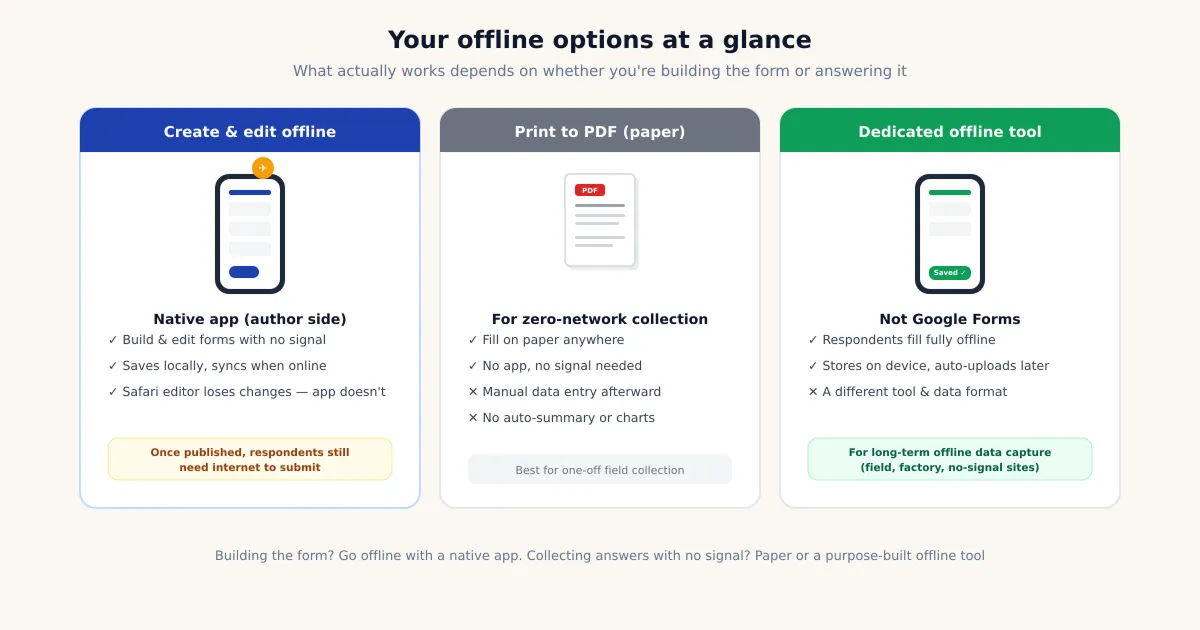
Forms for Google Drive preparation features do not change the connectivity requirements of a Google Forms respondent link. For offline collection, use paper or a suitable dedicated tool and verify any later data transfer.
Prepare on mobile, export when connected
On iPhone and iPad. Forms for Google Drive offers an offline creation/editing workflow for supported app operations. Test it with a disposable form and verify synchronization after reconnecting. This does not make a Google Forms respondent link work offline.
With the Workspace add-on. Form to Docs by pipiform is an online desktop add-on for exporting questions or responses. Once you have exported and saved a document for offline use, you can review that copy without a live form session. Changes to that copy do not automatically sync back to Google Forms.
View Form to Docs and its features · Install the add-on · Get Forms for Google Drive on the App Store
The app and Workspace add-ons are separate pipiform products. Forms for Google Drive is US$59.99/year with a 3-day trial; check the App Store offer for your region. For Form to Docs, check the free allowance in your account; Premium is US$49.20/year or US$8/month, with separate one-time bundles. See current product pricing before subscribing.
Summary
Submitting responses needs connectivity. Forms does not provide a supported offline collection-and-upload workflow. For Forms for Google Drive, test offline preparation and verify synchronization. Visible answers are not a saved submission, and weak signal is only one possible problem. Use paper or a tested dedicated tool for offline collection.
Frequently Asked Questions
Can I fill out a Google Form without internet?
A previously loaded page may remain visible or allow typing, but that is not a reliable offline collection mode. Connectivity is required for Google's servers to receive the response; an on-screen answer does not confirm submission.
Does Google Forms have an offline mode like Docs and Sheets?
Offline settings for Docs, Sheets and Slides do not enable offline response collection in Forms. Check each product's documented capabilities separately.
Can I create or edit a Google Form offline?
It depends on the app operation and version. Test the current Forms for Google Drive workflow on a disposable form, reconnect and verify the online copy. Unsaved Safari changes should not be treated as safely stored.
Why did my form responses disappear?
Possible causes include disconnection, account or access problems, opening a different form, or an incomplete submission. Verify whether the organizer received it before retrying to avoid duplicate responses.
Can respondents submit a Google Form with no signal?
Google's servers need a network connection to receive a response. Opening the same form in Safari, through a QR code or in another app does not remove this requirement. Completed fields on screen are not proof of receipt.
What's the best way to collect data offline instead?
Two honest options, and neither makes Google Forms itself work offline. First, export or print the form to PDF, collect answers on paper at the no-signal location, and key them in afterward — you lose automatic aggregation but you can genuinely collect with zero connection. Second, switch to a third-party form app built specifically for offline data collection, which stores responses on the device and uploads them automatically when a connection returns. That second route is changing tools, not making Google Forms offline — be clear with yourself about which trade-off you're accepting before the day you need it.
Does a native iOS app let me use Google Forms offline?
Some app versions may support local form-preparation operations; verify these before use. They do not turn the standard Google Forms respondent link into an offline collection-and-sync tool.
Will my offline edits sync when I reconnect?
Reconnect, check the app's sync status and compare the online form. Do not promise immediate synchronization of every operation. This check concerns form preparation, not offline respondent submissions.